What Is

What Was  /  Projects

Projects

CamLog

A film camera doesn't remember anything. No frame count that survives a battery pull, no aperture in the EXIF, no note about the light. You write it down or you lose it.

CamLog is where I write it down. A phone-sized web app: pick the film, tap the light, tap the aperture, tap the shutter, add a word if there is one, and slide to log the frame. It keeps a running count for the roll and shows the last few shots so I know where I am. When the roll is finished, one tap archives it and loads the next.

The point is what happens after. I'm still learning the M6 — everything set by hand, no meter I fully trust. When the scans come back I can put each frame next to the choice I made: this light, this film, this aperture and speed — right, or half a stop off. Next time in the same light I already know.

No login — each camera has a short code instead, so the M6 and the point-and-shoot keep separate logs. Black screen, grey keys, one red accent; built to be used one-handed on a street corner without thinking about it.

Node, SQLite, a few hundred lines, on the same box as everything else. The logs are plain rows — so the shot data can eventually ride along with the scan into the archive, the same way PhotoTag's does.
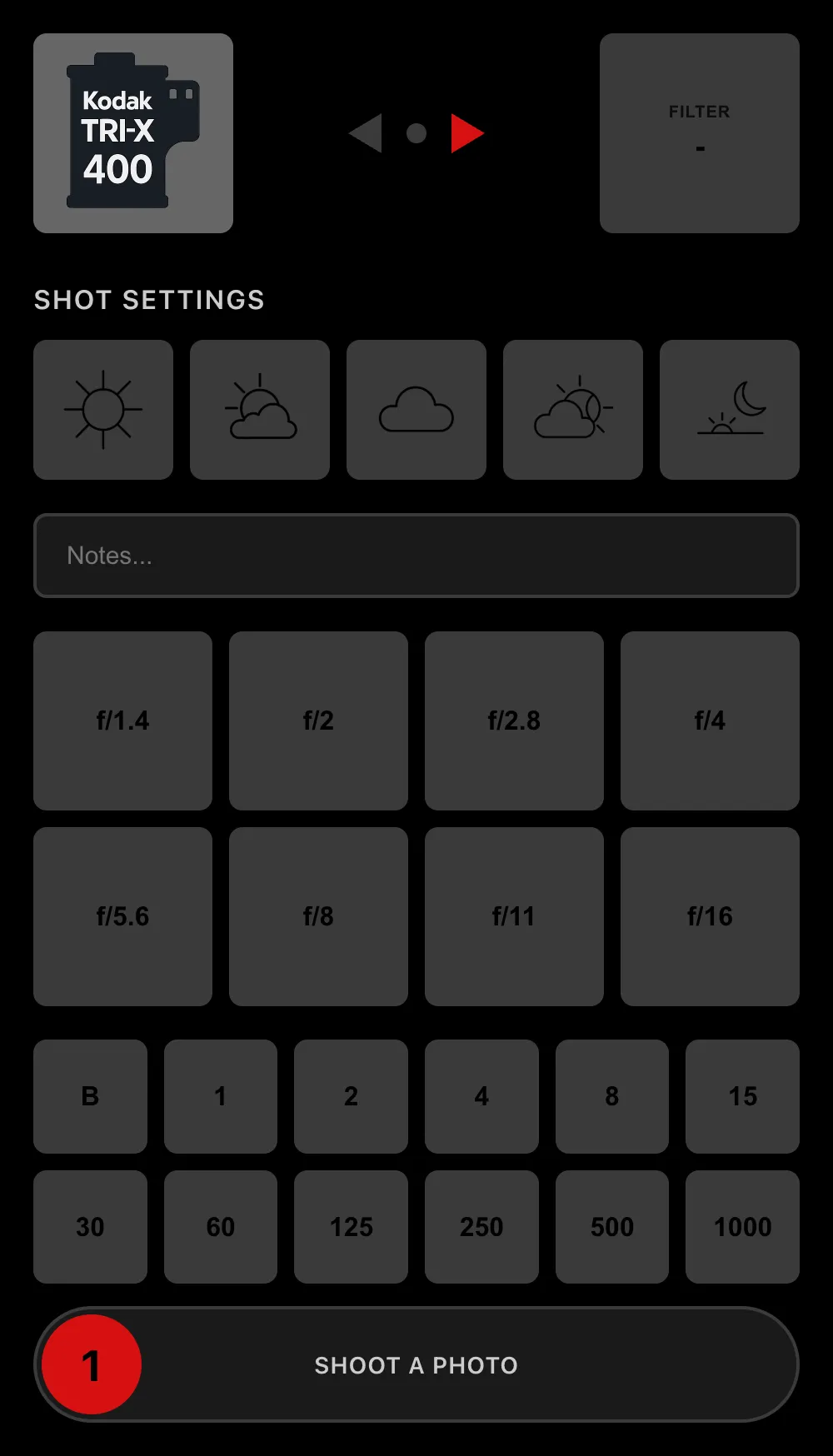
CamLog — the shot-logging screen

PhotoTag

I often shoot people on film. When someone asks for the picture, I can't give it to them — it's on a roll, weeks from a scan. A business card is worse: they'll lose it, and it isn't the photograph.

So I hand them a small NFC tag. They tap it with a phone and land on a page with a long random code in the URL — no app, nothing to type. The tag is the ticket.

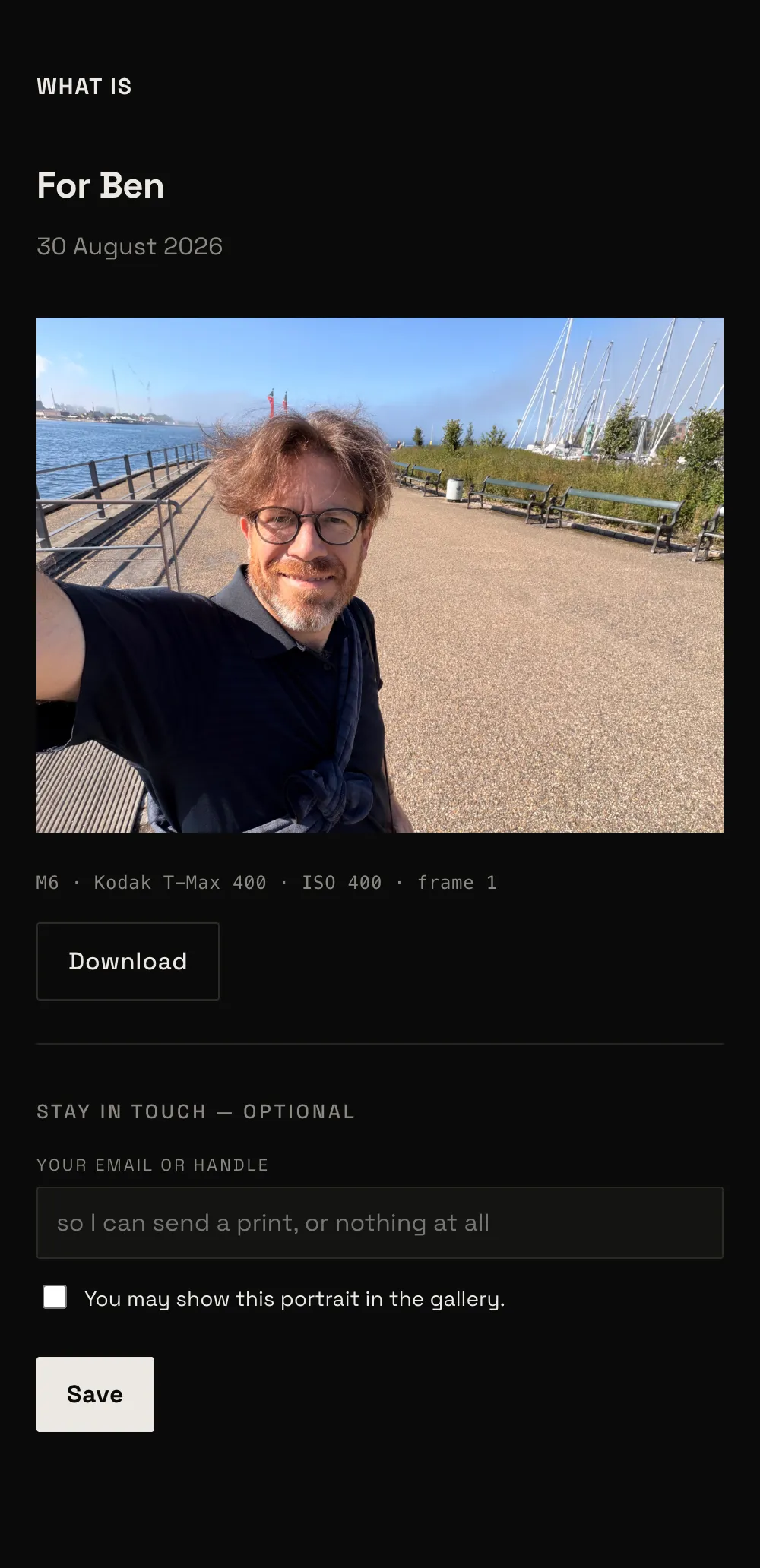
Until I claim it, the page is a form: their name, the date, where we are, the film and the settings. After that the same link readsawaiting your photo. Weeks later I develop the roll, scan the frame, attach it from the back office, and the link becomes the photograph — theirs to keep, with a line underneath if they want to stay in touch.

PhotoTag isn't a separate thing bolted on. A delivered frame drops into the same pipeline as everything else here: added to the archive automatically, curated automatically by the same tagging pass, and — if the person agreed to it — surfacing in the portrait gallery on its own.

There's no server. The whole thing is one function running at Cloudflare's edge and a key-value store; the code lives in the tag and nowhere else. It costs nothing to run.

A film camera's oldest limitation — you can't hand over the picture — closed with a physical object and a few hundred lines. The analog constraint and the software fix in the same thing.

PhotoTag — the delivered photograph page

PhotoHub

CamLog and PhotoTag are parts. PhotoHub is the whole — the pipeline that carries a photograph from the card to this website without me touching it in between.

A shoot lands in a staging folder on the server at home: an SD card from the Q3, a batch of lab scans from the M6. One conservative cull, then I rate and grade the rest in ON1; the verdict sits in a sidecar next to each frame. From there it runs on its own — the sidecars are read, the rejects dropped, everything kept pushed into the archive on the NAS. The archive only grows; re-rate a frame months later and it moves between views, nothing is deleted.

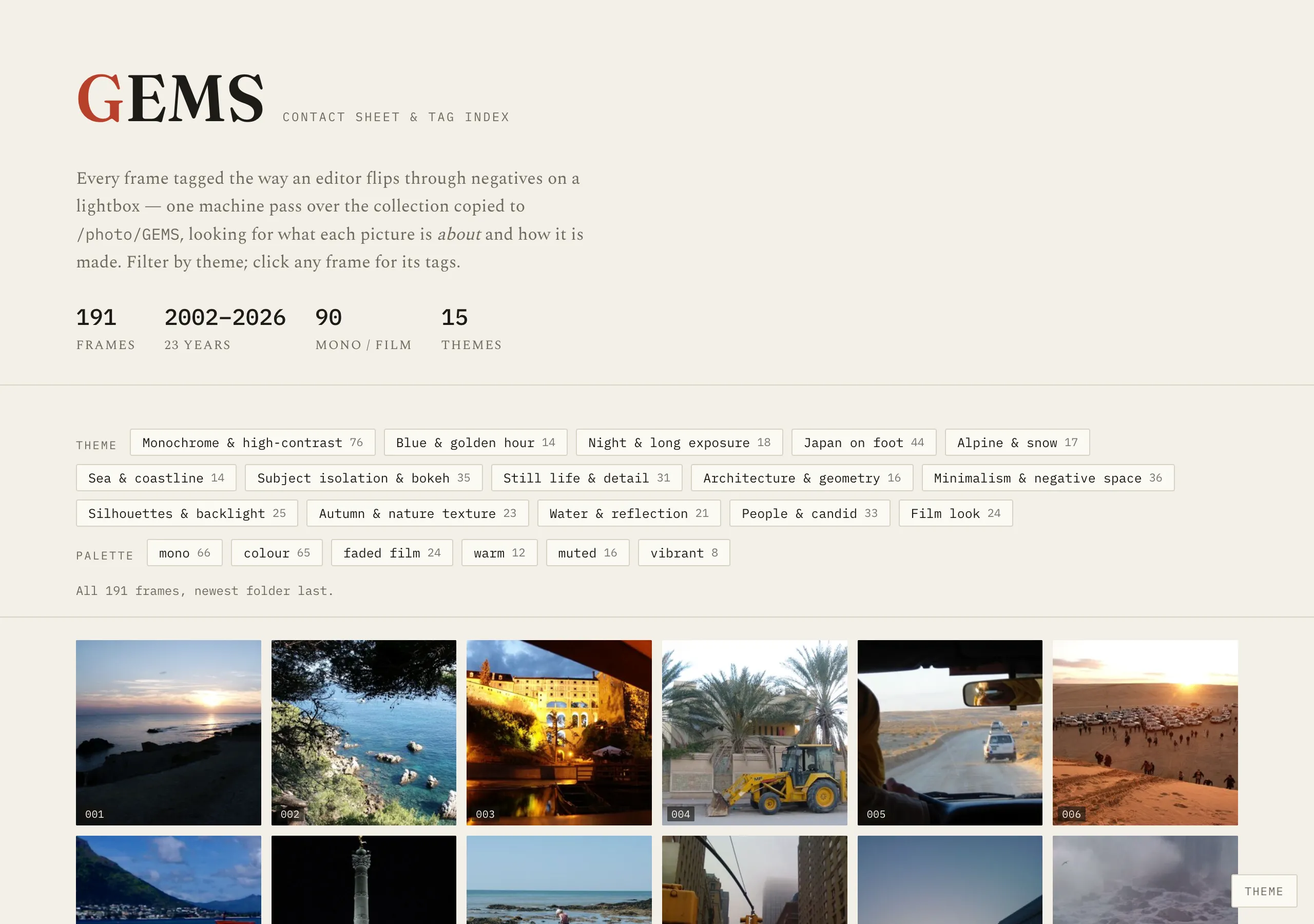
Then a vision pass reads every frame and writes back what it sees: a palette, a caption, a guess at the place, tags from a fixed vocabulary — the same tags these galleries are filtered by. The strongest frames flow to the portfolio set, and a build turns that into the pages you're on.

The loop is meant to sharpen. Every time I overrule it — re-rate something it promoted, pull a frame from a gallery — the correction is logged, and a read-only critic reads each batch against those corrections and opens a pull request. It proposes; I merge. The taste stays mine. The carrying is the machine's.

PhotoHub — the machine's contact sheet: 191 frames tagged in one pass